
What is Bitcoin Mining?
Bitcoin mining is the backbone of the Bitcoin network, but it can sound mysterious at first. Think of it as the process that keeps Bitcoin secure and releases new coins.
Bitcoin mining is the process of using specialized computers (miners) to solve complex mathematical puzzles that validate transactions on the Bitcoin network. Successful miners earn rewards in Bitcoin for securing the network and adding new blocks to the blockchain.
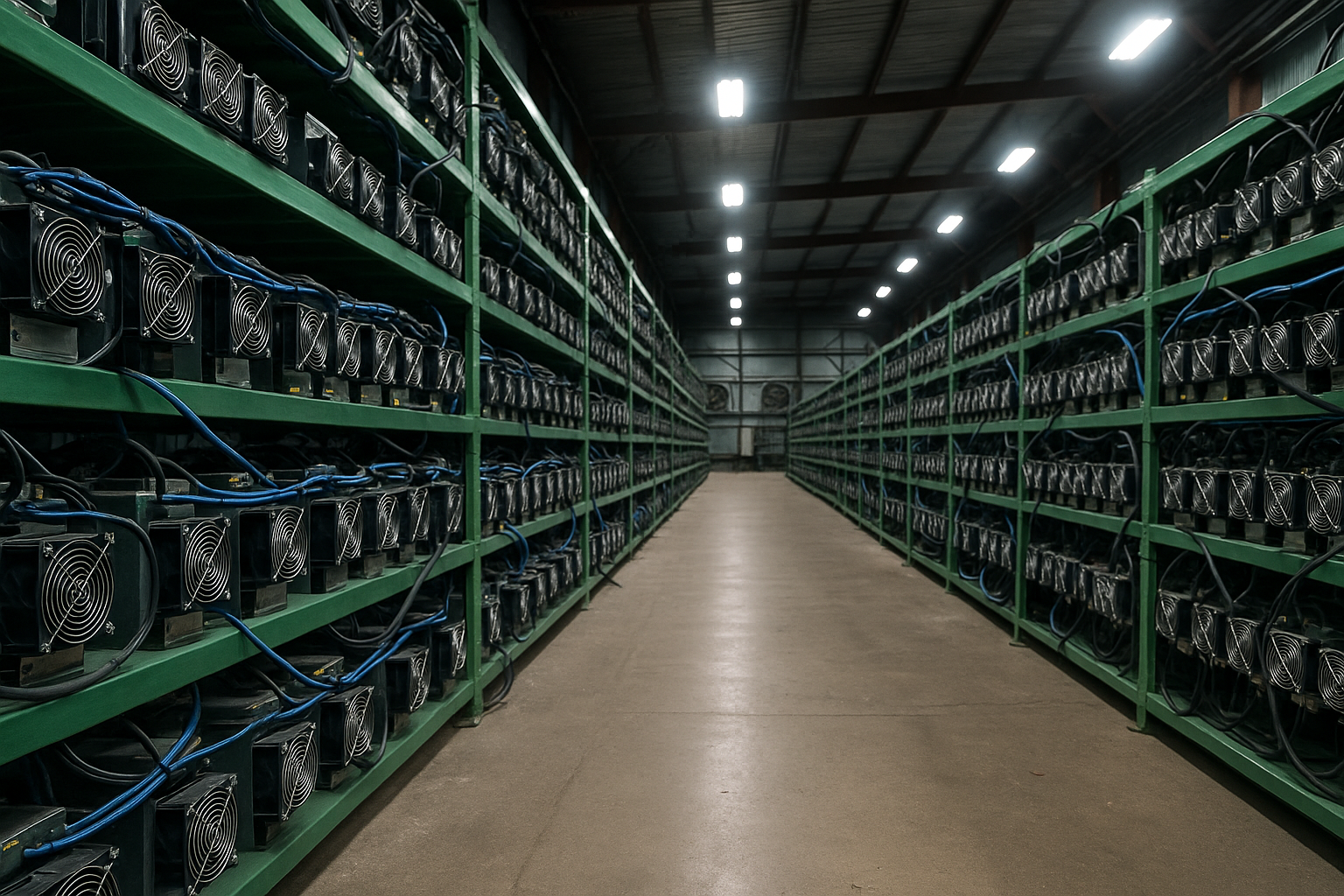
To break it down, mining is essentially a competition. Every ten minutes or so, all the miners in the world race to solve a cryptographic puzzle. The first miner to solve it gets to add the next block of transactions to the blockchain and is rewarded with new bitcoins (plus transaction fees). This reward system is an incentive for miners to invest in hardware and electricity to keep the network running.
Over time, I’ve learned that mining isn’t just about earning Bitcoin—it’s also about supporting the entire Bitcoin ecosystem. By participating in mining, I help verify transactions and maintain the decentralization of the network. The difficulty of the puzzles adjusts every two weeks so that no matter how many miners join, blocks are found roughly every ten minutes. This means as more people (and more powerful machines) start mining, it gets harder to earn the reward.
Why Does Bitcoin Need Mining?
Bitcoin’s design relies on proof-of-work mining to achieve security. In simple terms, the network needs miners to do heavy computational work (proof-of-work) as a way to secure the system. This work makes it extremely costly for anyone to try to cheat or rewrite transaction history. In my view, mining is what makes Bitcoin trustless and robust—no central authority is needed because miners collectively uphold the ledger. When I realized this, it became clear that mining is more than a money-making scheme; it’s a fundamental part of how Bitcoin works.
It’s also worth noting that the mining reward halves roughly every four years (a mechanism called the “halving”). For example, by 2026 the block reward is 3.125 BTC, half of what it was before 2024. This built-in reduction keeps Bitcoin scarce. As a beginner, understanding these basics gave me a solid foundation and respect for what mining really is: a mix of competition, collaboration, and protocol-driven rules that yield new bitcoins as a reward for honest work.
What Bitcoin Mining Machines are Available?
Not all mining machines are created equal. As I ventured into mining, I quickly learned that ordinary home computers won’t cut it for Bitcoin. The only viable devices today are dedicated mining rigs known as ASIC miners.
In 2026, Bitcoin mining is dominated by specialized ASIC machines. Popular options include Bitmain’s Antminer series and MicroBT’s WhatsMiner series, which offer high hash power (e.g. tens to hundreds of terahashes per second) with far better efficiency than any CPU or GPU.

ASIC stands for Application-Specific Integrated Circuit. Unlike a normal PC or graphics card, an ASIC miner is a machine built for the sole purpose of crunching Bitcoin’s SHA-256 hashing algorithm at high speed. When I started out, I was amazed at how much faster ASICs were compared to my gaming computer—thousands or even millions of times more hashes per second!
Over the years, Bitcoin mining hardware has evolved rapidly. In the early days, people mined with CPUs and GPUs, but those are obsolete for Bitcoin now. Modern miners use ASICs from major brands. Two names you’ll hear a lot are Antminer and WhatsMiner:
Top Bitcoin Miner Brands in 2026
- Bitmain Antminer: Bitmain’s Antminer line is arguably the most famous. These machines range from older models like the Antminer S9 (around 14 TH/s) to current powerhouses like the Antminer S21 series, which can exceed 200 TH/s. Bitmain continually pushes the envelope in efficiency. For example, the Antminer S19 series was a workhorse for years, and the newer S21 models offer much higher performance per watt.
- MicroBT WhatsMiner: MicroBT produces the WhatsMiner series, another top choice for miners. Models like the WhatsMiner M30S and M50S were popular due to their reliability. By 2026, the WhatsMiner line has high-end models (like the M50 series) that also achieve well over 100 TH/s. WhatsMiners are known for solid build quality and competitive efficiency, making them a favorite in many mining farms (including some of my own operations).
There are other manufacturers too, such as Canaan (AvalonMiner series) and new players introducing high-performance rigs, but Antminer and WhatsMiner are the two brands I primarily work with because of their track record.
To give you a sense of the landscape, here’s a quick comparison of several Bitcoin ASIC miners that a beginner might encounter:
| ASIC Miner Model | Hashrate (TH/s) | Power Usage (W) | Efficiency (J/TH) |
|---|---|---|---|
| Bitmain Antminer S19j Pro (2022) | ~100 TH/s | ~2950 W | ~29.5 J/TH |
| Bitmain Antminer S21 (2025) | ~270 TH/s | ~3645 W | ~13.5 J/TH |
| MicroBT WhatsMiner M50S (2022) | ~126 TH/s | ~3276 W | ~26 J/TH |
| MicroBT WhatsMiner M56 (2023, immersion) | ~200 TH/s | ~5300 W | ~26.5 J/TH |
(Hashrate and power figures are approximate for representative models.)
Looking at this table, you can see newer models are far more efficient. For instance, an Antminer S21 produces almost three times the hash rate of an S19j Pro while using only about 20% more power. This means much lower energy cost per unit of work (expressed as joules per terahash, J/TH). When I advise beginners, I emphasize that efficiency is key especially if electricity is expensive in your area.
Another thing to consider is price and availability. Cutting-edge models like the S21 might carry a high price tag and often require bulk orders or waitlists to get them. On the other hand, slightly older units (like S19 series or WhatsMiner M50) are more affordable and easier to source from suppliers like us at Miner Source. We maintain inventory in our Hong Kong and Shenzhen warehouses, which allows for quick shipping to North America, Europe, Canada, and the Middle East (like Dubai and the UAE), and beyond. That way, new miners can start with reliable hardware without a huge upfront cost or delay.
In short, as a beginner you’ll almost certainly be using an ASIC miner. The key is choosing one that fits your budget and situation (which I’ll cover next). GPUs and CPUs won’t mine Bitcoin profitably in 2026, so focusing on the right ASIC hardware is one of the first big decisions on your mining journey.
How to Choose the Right ASIC Miner for a Beginner?
Standing in front of a wall of mining hardware specs can be daunting. I remember spending days comparing models, trying to figure out which one made sense for me as a newbie.
Beginner miners should look for an ASIC that balances cost, hash power, and efficiency. Key considerations are your budget, electricity costs and power capacity, as well as practical factors like noise, heat, and space. A reliable mid-range model is usually the best start.

Choosing your first miner is a bit like buying your first car—you don’t necessarily go for the flashiest supercar; you look for something reliable and suitable for your needs. Here are some factors I always tell beginners to weigh:
Factors to Consider When Choosing an ASIC
- Budget: Determine how much you are willing to invest. ASIC prices in 2026 can range from a few hundred dollars for very old models to tens of thousands for top-tier new releases. Remember to factor in shipping and possible import taxes. As a beginner, it might be wise to avoid the most expensive, cutting-edge unit until you get some experience.
- Electricity Cost and Power Requirements: Check your electricity rate (in $/kWh). High electricity costs can eat up mining profits quickly. Also, consider what power setup you have. Many miners require 220-240V and draw 2000W or more. In my case, I had to install a special outlet in my home to run an Antminer because standard home outlets (110V in the US) couldn’t deliver enough power safely.
- Hashrate and Efficiency: Higher hash rate means more potential Bitcoin earnings, but it usually comes with higher power use and cost. Efficiency (J/TH) tells you how effective a miner is at using electricity. As a rule of thumb, I look for a miner with the lowest J/TH within my budget, because that means less electricity wasted as heat for the same work.
- Noise and Space: ASIC miners are loud—often 75 decibels or more, which is like a vacuum cleaner running constantly. If you live in an apartment or have nearby neighbors, you need a plan for the noise (like putting the miner in a sound-insulated box or running it in a garage). Additionally, these machines throw off a lot of heat. I learned this the hard way when my first miner turned my small office into a sauna. Make sure you have a well-ventilated area or a way to direct heat out.
- New vs. Used: There’s a thriving second-hand market for ASICs. A used miner can be cheaper and still profitable, especially if it’s a generation or two old. I’ve bought used units to save money, but it’s a bit of a gamble—you might get a great deal or you might get a machine that was abused and fails early. If you go used, buy from a reputable source (for example, we at Miner Source test and refurbish pre-owned miners for reliability). New miners come with a warranty (typically 6-12 months) which is a safety net for a beginner.
- Manufacturer and Support: Stick to known brands for your first miner. They have active support communities and documentation. For instance, Bitmain and MicroBT have online user manuals and forums where you can find help. I’ve found that having a community to ask questions (like on Telegram groups or Reddit) is invaluable when you’re starting out.
When I chose my first ASIC, I went with a model that wasn’t the absolute latest but had solid efficiency and lots of user reviews. It turned out to be a smart move—I learned the basics without spending a fortune. To give a concrete example: if you’re choosing between an older 90 TH/s miner for cheap and a newer 200 TH/s miner that costs five times more, think about your goals. If it’s just to learn and experiment, the cheaper one might make sense. If you want to scale up and you have cheap power, investing in a more efficient model could pay off in the long run.
Ultimately, the right miner for a beginner is one that you can afford to run (and potentially fail with) as you learn. It should be reasonably efficient, not too hard to set up, and from a trusted seller. Once you gain experience and confidence, you can always upgrade to more advanced hardware or expand your mining operation.
What Preparations Do You Need to Make Before Mining?
Jumping into mining isn’t just about the machine. I learned quickly that prepping everything around the miner is just as important for a smooth start.
Before starting Bitcoin mining, make sure you have the right environment and resources in place. This means securing adequate electrical power and proper cooling for your miner, setting up a reliable internet connection, and preparing a Bitcoin wallet to collect your earnings.

Let’s go through the key preparations one by one. Skipping these can lead to frustration or even hardware damage, so they’re worth the effort up front.
Power and Environment Setup
- Electrical Capacity: Check your power outlets and circuit capacity. A typical ASIC miner can consume anywhere from 1 kW to 3 kW (or more) continuously. In my case, I had to upgrade my garage with a dedicated 240V outlet and a higher capacity circuit breaker to safely run a 2.5 kW miner. If you’re not sure about your electrical setup, consult an electrician to avoid overloads or fire hazards. Also remember to account for the power supply unit (PSU) that comes with the miner – it needs the correct voltage and a stable power source.
- Cooling and Ventilation: Mining devices convert electricity into a lot of heat. You’ll need good airflow to keep the miner from overheating. This could be as simple as placing the miner in a cool, open area with fans or as involved as setting up an exhaust system to vent hot air outside. When I first ran an ASIC in a small room, the temperature climbed quickly, which taught me to always plan for heat dissipation. If you live in a hot climate, consider air conditioning or run your miner during cooler parts of the day.
- Noise Management: As mentioned, miners are loud. Plan where you’ll put the machine so that the noise won’t drive you or others crazy. I’ve seen people build insulated boxes or use attic spaces to muffle the sound. In my case, moving the miner to a corner of the basement and closing the door helped a lot. Just ensure that any enclosure still has airflow—trapping heat will cause overheating.
- Space and Safety: Ensure you have enough space around the miner. It should be in a dry area away from anything flammable (the units can get hot to the touch). I always keep a fire extinguisher nearby just in case, and I avoid overloading power strips or using extension cords, which can be fire risks.
Digital Setup: Wallet and Network
- Bitcoin Wallet: Set up a Bitcoin wallet to receive your mining payouts. This can be a software wallet on your phone/computer or a hardware wallet for long-term security. When I began, I created a simple mobile wallet to test receiving Bitcoin from the mining pool. It felt great to see the first fractions of BTC appear. As you grow, you might use a more secure wallet solution, but to start, have an address ready.
- Mining Pool Account: Decide on a mining pool (more on pools soon) and create an account if required. Some pools let you mine directly to a wallet address without an account, while others ask you to register. Early on, I registered on a popular pool’s website so I could track my miner’s performance on their dashboard.
- Internet Connection: Ensure you have a stable internet connection where the miner will operate. Bitcoin mining doesn’t use a ton of data, but it needs to be continuous. Even a basic home broadband or 4G hotspot can work if it’s reliable. I once had my miner disconnected due to a router rebooting, which meant earning nothing for hours—so now I use a dedicated router for the mining network and backup internet if possible.
- Monitoring Setup: It helps to have a computer or smartphone handy to monitor your miner, especially during the first setup. You’ll be accessing the miner’s interface via a web browser on your local network. Also consider setting up an account on your pool’s app or website to keep an eye on your miner’s status remotely. When I started, I got into the habit of checking my miner each morning to ensure all was well.
These preparations lay the groundwork. They might take some time and even a bit of money (for electrical work or cooling), but they will pay off by making your mining experience much smoother. Every hour spent prepping saved me multiple hours of troubleshooting later on.
How to Set Up an ASIC Miner?
Finally, it’s time to fire up your miner. The setup process might seem technical, but I’ll break it down step by step. When I did this the first time, taking it slowly and methodically helped me avoid mistakes.
To set up an ASIC miner, place the unit in a ventilated area, connect it to a power source and internet, then access the miner’s configuration page via a computer to enter your mining pool details and start mining.

Rather than rushing, follow a checklist. Here’s a step-by-step guide based on my own setups:
Physical Installation Steps
- Unboxing and Inspection: Unpack your ASIC miner and power supply unit (PSU). Make sure nothing is damaged and that you have all necessary cables. I always double-check that the fans and connectors are intact after shipping.
- Position the Miner: Place the miner in your prepared location (as discussed earlier, a cool area with ventilation). Keep the miner on a stable surface to avoid vibration. In my experience, leaving some space around it (a few inches on each side) ensures better airflow.
- Connect the Power Supply: If your miner has an external PSU (some miners have built-in PSUs), connect the power cables from the PSU to the miner. There are typically multiple 6-pin or 8-pin connectors. Make sure each connector is firmly seated. Then plug the PSU into your electrical outlet or power distribution unit. (Double-check that the outlet voltage matches the miner’s requirements—most ASICs need 220V.) Do not turn on the power yet if your PSU has a switch.
- Connect Internet (Ethernet): Plug an Ethernet cable from your router or switch into the miner’s network port. Wired connection is strongly recommended because it’s more reliable than Wi-Fi for continuous operation. This cable will allow your miner to communicate with the mining pool.
- Power On the Miner: Turn on the PSU switch (or simply plug in, if there’s no switch) to power up the miner. You’ll hear the fans start spinning at full speed initially—that’s normal. The miner will go through a boot sequence that can take a minute or two. During my first setup, this loud roar startled me, but don’t worry, the fans usually settle down once the miner starts hashing and temperature is under control.
Configuration via Web Interface
- Find the Miner’s IP Address: Your miner will be assigned an IP address by your router (via DHCP). To find it, you can check your router’s admin page for connected devices or use a network scanning tool. Some manufacturers also provide a small utility program that detects miners on the network. For example, Bitmain has a tool called “IP Reporter”. When I set up a batch of miners, I label each one and record their IPs to keep track.
- Log into the Miner: Once you have the IP, open a web browser on a computer that’s connected to the same network. Enter the miner’s IP address in the browser. You should see a login screen for the miner’s control panel. Enter the default username and password. (For many Bitmain Antminers, it’s usually ‘root’ for both username and password; WhatsMiner might use ‘admin’/’admin’ or have no password by default. The user manual will specify this.) One of the first things I do here is change the password to something secure, so no one else on the network can tamper with my settings.
- Enter Mining Pool Settings: Navigate to the settings or configuration section where you can enter your mining pool information. You’ll typically need to input: the pool URL or address, your miner’s worker name (which is often formatted like “username.worker1” if you have an account on the pool), and a password (often just “x” or a given token). For example, I might enter pool server “stratum+tcp://btc.pool.com:3333”, worker “MinerSource001.myminer” and password “123”. Most pools provide three server addresses (primary and backups), so fill all if available.
- Apply and Start Mining: Save or apply the settings. The miner will then connect to the pool and begin mining. On the miner’s status page, you should start seeing a hash rate reading after a few minutes. The first time I saw my miner’s hash rate appear (and shares accepted by the pool), I felt a rush of excitement—it’s working!
- Monitor and Fine-tune: Keep an eye on the temperatures and fan speeds shown in the miner’s status page. Ensure they are within safe ranges (typical temps might be 60-80°C, and fans might run at 50-100%). If something looks off—like a hashboard isn’t detected or temperature is too high—shut down and double-check connections and airflow. Otherwise, congratulations, your miner is up and running! You can close the browser interface; the miner will keep mining autonomously as long as it has power and internet.
Setting up the first miner is a learning experience. By going through these steps slowly, I became comfortable with the hardware and the software interface. Don’t worry if it feels a bit complicated at first—after you do it once, it gets much easier for future miners. Every brand has its own interface nuances, but fundamentally the process is very similar.
How to Connect to a Mining Pool?
Mining solo (just you against the world) is theoretically possible, but practically a beginner won’t ever find a block on their own due to the sheer competition. I figured out early that joining a mining pool was the way to get consistent results.
To join a Bitcoin mining pool, choose a reputable pool, create an account if required, and then input the pool’s server address and your worker details into your ASIC miner’s configuration. The pool will coordinate your miner’s work with others and regularly pay out your share of rewards.

When you mine in a pool, you are teaming up with thousands of other miners. This was a relief for me starting out—rather than waiting months or years for my small miner to hit the jackpot with a solo block, I could earn a trickle of Bitcoin daily by contributing to a pool.
What is a Mining Pool and Why Use One?
A mining pool is a group of miners who combine their hashing power to increase the chances of mining a block. When the pool finds a block, the reward is split among members according to the work they contributed. For example, if your miner contributed 0.1% of the pool’s work for that block, you’d get 0.1% of the block reward. Pools usually take a small fee (1-3%) for organizing this service. I joined a pool for the simple reason that I wanted to see some Bitcoin earnings without needing an entire warehouse of miners.
Choosing a Mining Pool
Not all pools are the same. Here are a few factors and options I considered:
| Mining Pool | Fees | Notes |
|---|---|---|
| AntPool | ~1% | Run by Bitmain, one of the largest pools globally. Reliable and well-established. |
| F2Pool | ~2.5% | A long-running global pool with servers worldwide; user-friendly interface and mobile app. |
| ViaBTC | ~2% | Popular pool that also offers merged mining (earn other coins alongside BTC). |
| Braiins Pool (Slush) | ~2% | The first ever Bitcoin pool (formerly Slush Pool). Known for transparency and advanced features. |
| Foundry USA | 0% (invitation) | Currently one of the largest pools by hash rate, but primarily for North American institutional miners (no fees but access is restricted). |
I usually recommend beginners pick a well-known pool with a good track record (AntPool, F2Pool, etc.). The differences in fees and payout schemes (PPS, PPLNS, etc.) exist, but when you’re starting out, the priority is simply to connect and start earning. You can always switch pools later if you find one suits you better.
Steps to Connect Your Miner to a Pool
By this point, you likely have your miner running (from the setup steps earlier) and you’ve chosen a pool. Here’s how to make sure your miner is properly contributing to the pool:
- Register (if needed): Go to the pool’s website and create an account if required. Some pools let you mine directly by assigning a payout address (e.g., you just point your miner and they send any earnings to your Bitcoin wallet), while others want you to sign up and configure a payout address in their system. I filled out a simple form to register on F2Pool when I began.
- Create a Worker ID: Inside your pool account, you might need to create a worker or simply use your account name as one. A worker ID is just a label for your specific miner. For instance, my account might be “dianaminer”, and I can create worker IDs like “dianaminer.001” for the first machine. This helps me track multiple miners. Some pools auto-generate these when your miner first connects, especially if you use your wallet address as the username.
- Find Pool Server Addresses: Check the pool’s help section for the stratum server URLs. Pools have multiple servers (for example, one in the US, one in Europe, one in Asia) — you should pick the one closest to your miner’s location for better connection. It will look something like “stratum+tcp://us.poolname.com:3333”. I usually copy two or three server addresses (primary and backups) into the miner settings.
- Configure Miner Settings: As covered in the setup section, go into your miner’s web interface and input the pool details. Use the URLs from step 3, and for the username/worker field, use the worker ID or username provided by the pool. Enter the password if the pool specifies one (often it’s a generic “123” or “x”). Then save/apply the settings.
- Verify on the Pool Dashboard: After a few minutes, log into the pool’s website and navigate to your dashboard or workers page. You should see your worker name appear, along with statistics like hash rate and shares submitted. The first time I saw my miner listed as “online” in the pool dashboard was the moment I knew I had set everything up correctly.
Once connected, your mining pool will handle the rest in the background. I like to keep the pool’s dashboard bookmarked so I can quickly check my daily earnings and see if the miner is performing normally. Pools will usually pay out automatically to your wallet once you reach a certain threshold (like 0.001 BTC or 0.1 BTC, depending on the pool). Watching those payouts come in, even if they are small at first, is rewarding and keeps me motivated to continue mining.
How to Maintain and Optimize an ASIC Miner?
After your miner is up and running, your job isn’t completely over. I learned that consistent maintenance and a bit of tuning can make a big difference in how well my miner performs and how long it lasts.
Maintain your ASIC miner by keeping it clean, cool, and monitoring its performance regularly. This means regularly cleaning out dust from the unit, checking temperatures and hash rate, and applying firmware updates when available. For optimization, ensure proper cooling and consider safe tuning for better efficiency.

Think of your ASIC miner like a high-performance car: if you take good care of it, it will run smoother and longer. Neglect it, and you could face unexpected breakdowns.
Regular Maintenance Tasks
- Dusting and Cleaning: Dust is the enemy of electronics. I make it a habit to shut down my miner every month or two (when it’s safe to do so) and blow out any dust from the intake grills, fans, and heatsinks using compressed air. Be gentle with the fans—hold them in place while cleaning so they don’t spin uncontrollably from the air blast (which could damage the bearings). Keeping the miner clean helps it cool properly.
- Temperature Checks: Continuously monitor the temperature readouts on your miner’s dashboard or your mining management software. If I see temperatures creeping too high (e.g., above 80-85°C), I know it’s time to improve cooling or pause the miner during the hottest part of the day. Consistently high temperatures can reduce the miner’s lifespan.
- Fan and Airflow Maintenance: Ensure the fans are working correctly. If a fan fails, replace it promptly. I keep a couple of spare fans around just in case. Also, check that nothing is blocking the airflow. I once found a plastic bag had been sucked against the intake grill of a miner (oops!), which taught me to keep the area around miners tidy.
- Firmware Updates: Manufacturers occasionally release firmware updates that can improve efficiency or stability. During a maintenance window, I check the Bitmain or MicroBT official site for any new firmware for my model. Updating firmware is usually as simple as uploading a file via the miner’s web interface. After one firmware update, I noticed my miner’s hash rate became more stable and it even used a few less watts of power.
- Monitoring and Alerts: Use software tools or mining pool alerts to keep an eye on your miner. I set up email alerts on my pool that notify me if my miner goes offline or if the hash rate drops significantly. That way, if something goes wrong and I’m not physically near the miner, I can react quickly.
Optimizing Performance and Efficiency
- Tuning (Overclocking/Underclocking): Some miners allow you to adjust their frequency or power settings. Overclocking can push hash rate higher but will increase power use and heat, potentially reducing efficiency and hardware lifespan. Underclocking can improve efficiency (J/TH) at the cost of some hash rate. As a beginner, I’d suggest sticking to stock settings until you’re comfortable. I experimented with underclocking one of my miners to run cooler during summer; it produced slightly less hash rate but ran 20% more efficiently, which saved me money on power.
- Immersion Cooling or Advanced Cooling: This is an advanced topic, but you might hear about immersion cooling (putting miners in special non-conductive oil to cool them) or water-cooled units. These can dramatically reduce heat and noise, and allow higher performance, but they require significant investment and technical know-how. In my small setup, I stick to air cooling with good ventilation. However, I’ve toured large mining farms that use immersion cooling to get every bit of efficiency out of their ASICs.
- Scaling Up Strategically: If you plan to add more miners, consider the infrastructure holistically. I optimized my setup by installing a high-capacity power distribution unit and industrial-grade fans once I had a few machines, instead of improvising with home extension cords and desk fans per machine. Planning for scale in advance made expansion easier and safer.
- Tracking Profitability: Optimization isn’t just about the hardware. I regularly calculate if my operation is still profitable, especially if electricity rates change or after events like Bitcoin’s halving. There are online calculators where I plug in my hash rate, power use, and electricity cost to see daily profit. This helps me decide if I should tune settings, upgrade hardware, or in worst cases, temporarily shut down if mining goes unprofitable. Staying proactive on the economics side is part of optimizing your mining venture.
To stay successful in mining, make maintenance a routine and always look for small improvements. I’ve learned that a well-maintained miner not only lasts longer but also hashes more consistently, meaning steadier income. By being attentive to your equipment and the mining environment, you can maximize your uptime and returns, making your mining journey more rewarding in the long run.
Conclusion
Starting Bitcoin mining in 2026 might seem complex, but with the right guidance and preparation, any beginner can set up an ASIC miner and begin their mining journey successfully. Contact MinerSource Team Purchase Now


