
Technical Specifications
Overview
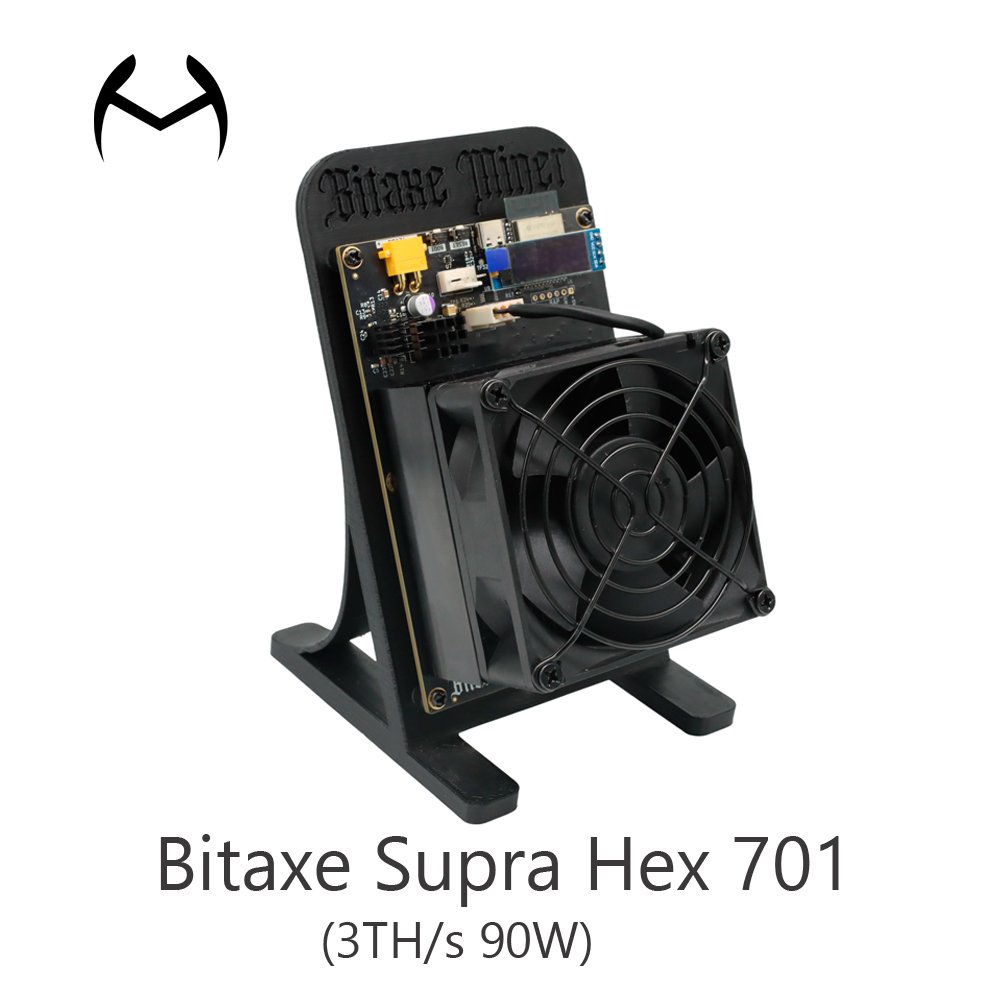
The Bitaxe Supra Hex 701 Solo Miner revolutionizes decentralized Bitcoin mining with 3 TH/s hash power, driven by six BM1366 ASIC chips (harvested from Antminer S19XP hardware). Designed for solo miners and eco-conscious enthusiasts, this compact powerhouse combines enterprise-grade performance, whisper-quiet operation, and open-source flexibility—all at a fraction of traditional mining rig costs. Whether you’re hunting solo blocks or pooling with Braiins/Ocean, the Hex 701 maximizes your ROI while advancing Bitcoin’s decentralized future.
Key Features
Technical Specifications
Why Choose the Bitaxe Supra Hex 701?
Are you ready to revolutionize your Bitcoin mining experience with the Bitaxe Hex? This powerful, user-friendly miner is designed for efficiency and decentralization, making it perfect for both beginners and experienced miners. Follow this guide to set up your Bitaxe Hex and maximize its potential!
Carefully unpack your Bitaxe Hex and ensure you have all the components:
Bitaxe Hex miner
Power supply unit (PSU)
User manual
Necessary cables and connectors
Locate the power input: Find the power port on your Bitaxe Hex.
Plug in the power supply: Ensure a secure connection. Bitaxe Hex is designed for energy efficiency, so make sure your power source is compatible.
Wired connection: Use an Ethernet cable to connect your Bitaxe Hex to your router for a stable internet connection.
Wi-Fi option: If your Bitaxe Hex supports Wi-Fi, follow the user manual to set it up.
Turn on the power.
The Bitaxe Hex will boot up, and LED indicators will show its status.
Access the web interface: Open a browser and enter the miner’s IP address (check your router for assigned IPs).
Log in: Use the default credentials provided in the manual.
Set up mining pool:
Solo mining: Optimize settings for solo mining.
Pool mining: Enter the details of your chosen mining pool (e.g., Braiins or Ocean) for stable payouts.
Hashrate settings: Fine-tune the miner to maximize performance (Bitaxe Hex delivers up to 3 TH/s).
Fan speed: The Arctic P8 fan runs quietly, but you can adjust its speed for optimal cooling.
Once everything is set up:
Regularly check the web interface to monitor performance, temperature, and hashrate.
Track your earnings and tweak settings to improve efficiency.
Since Bitaxe Hex is open-source:
Join the community for updates and optimization tips.
Contribute to community-driven improvements to enhance your mining experience.
Location:
Miner Source has two warehouses: Shenzhen and Hong Kong warehouse.
Shipping instructions:
Shipping details:
1 – Packaging details: carton packing per unit
2 – Worldwide delivery (Customer Request Acceptable): UPS, DHL, FedEx, EMS, TNT and Special Express Line (double-clear tax lines and door-to-door service for countries such as Thailand and Russia)
3 – Port: Shenzhen or Hong Kong
4 – Lead time: in 7 days after payment
Note: If you have any questions about the logistics information, please contact us immediately. We will track your shipment and get back to you as soon as possible.

We are Shenzhen China company specializing in providing Bitmain, Whatsminer, Avalon for global miners.
WhatsApp us
We will contact you within 3 hours, please pay attention to the email with the suffix “@minersource.shop”.


